Top 10 Image Search Techniques Everyone Should Know in 2025

Finding the right image online shouldn’t feel like searching for a needle in a haystack. These top 10 image search techniques will transform how photographers, marketers, researchers, and content creators discover visual content in 2025.
Modern image search techniques go far beyond typing keywords into Google Images. Today’s tools use artificial intelligence, analyze hidden metadata, and even search by color patterns to deliver precise results.
This guide covers game-changing methods like reverse image searches that identify sources instantly and AI-powered visual recognition tools that understand what’s actually in your photos. You’ll also learn how to tap into mobile-specific search features and leverage multiple search engines to find images other people miss.
Ready to stop wasting time scrolling through irrelevant results? Let’s dive into the search strategies that actually work.
Master Reverse Image Searches for Instant Results

Upload Images to Find Original Sources and Duplicates
Reverse image searching has become your best friend when you need to trace where a photo originally came from. Simply drag and drop any image into Google Images, TinEye, or Bing Visual Search, and watch these platforms work their magic. They’ll scan millions of web pages to show you where that exact image appears online.
This technique shines when you’re dealing with stolen content or need to verify if someone’s using your photos without permission. Content creators and photographers rely on this method daily to protect their work. You can also catch fake profiles on social media by uploading their profile pictures – if the same image shows up on multiple accounts or stock photo sites, you’ve spotted a red flag.
Finding duplicates becomes incredibly useful for cleaning up your digital photo collection. Upload a blurry or low-quality version, and the search engines will often lead you to cleaner copies of the same image that others have shared online.
Discover Higher Resolution Versions of Existing Photos
Your pixelated profile picture doesn’t have to stay that way. Reverse image searches excel at uncovering higher quality versions of photos you already have. When you upload a small thumbnail or compressed image, search engines compare the visual elements and often return larger, crisper versions.
Professional photographers and graphic designers use this trick constantly. They’ll take a small preview image from a client’s website and find the original high-resolution file that’s floating somewhere else online. Social media platforms compress images heavily, so searching for the original can reveal stunning detail that got lost in the posting process.
The key is trying multiple search engines since each one indexes different websites and image databases. What Google Images misses, Yandex might catch, and vice versa.
Identify Unknown Objects, People, and Locations
Got a mystery photo with no context? Reverse image searches turn into digital detectives. Upload that random architectural shot, and you might discover it’s the famous Cathedral of Saint Basil in Moscow. That unknown flower in your garden could be identified through plant recognition features built into modern image search tools.
People identification works too, though it raises privacy concerns. You can often find social media profiles, news articles, or other online mentions of individuals in photos. This proves valuable for genealogy research, reconnecting with old friends, or verifying someone’s identity in professional contexts.
Location identification has become surprisingly accurate. Even if GPS data isn’t embedded in the photo, visual landmarks, architecture styles, and geographical features help search engines pinpoint where images were taken.
Track Image Usage Across the Web
Monitoring how your images spread across the internet gives you powerful insights into their reach and potential misuse. Set up regular reverse image searches for your most important photos to see who’s sharing them and in what context.
Businesses track their product images to catch unauthorized sellers or counterfeit operations. News organizations monitor their exclusive photos to ensure proper attribution and licensing compliance. Personal users can see if their vacation photos ended up on travel blogs or their pet pictures went viral without their knowledge.
Many platforms now offer automated monitoring services that run these searches continuously and alert you when new matches appear. This proactive approach helps you stay on top of your digital content’s journey across the web.
Leverage AI-Powered Visual Recognition Tools

Use machine learning algorithms for accurate object detection
Machine learning has completely changed how we search for images. Modern visual recognition systems can spot thousands of different objects in seconds, from everyday items like cars and furniture to specific breeds of animals and architectural styles. Google Vision AI, Amazon Rekognition, and Microsoft Computer Vision lead the pack here, offering incredible accuracy rates that often surpass human performance.
These tools work by analyzing pixel patterns, shapes, and contextual clues to identify what’s actually in your image. You can upload a photo of your living room and instantly get tags for “sofa,” “coffee table,” “houseplant,” and even the specific style like “mid-century modern.” This makes finding similar images or shopping for comparable items incredibly easy.
The real magic happens when these algorithms detect multiple objects simultaneously. A single beach photo might return results for “ocean waves,” “palm trees,” “sandy beach,” and “sunset,” giving you multiple pathways to explore related content. Some advanced platforms even understand relationships between objects, recognizing scenes like “person walking dog in park” rather than just listing individual components.
Identify text within images using OCR technology
Optical Character Recognition technology has become incredibly sophisticated, turning any text-containing image into searchable content. Whether you’re dealing with handwritten notes, street signs, business cards, or document screenshots, modern OCR can extract and interpret text with remarkable precision.
Google Lens stands out as probably the most accessible OCR tool for everyday users. Point your phone camera at any text, and it instantly translates, copies, or searches for that content. This proves invaluable when you encounter foreign language signs, want to digitize handwritten recipes, or need to quickly search for information from a printed document.
Professional OCR services like Adobe Acrobat’s text recognition and specialized tools like ABBYY FineReader handle more complex scenarios. They can process entire document batches, maintain formatting, and even recognize text in challenging conditions like poor lighting or unusual fonts.
The search applications are endless. You can find the source of a quote by photographing text, identify products by capturing their labels, or locate similar documents by searching extracted text content. Many people use OCR to make their personal photo libraries searchable, especially for images containing signs, menus, or important documents.
Recognize faces and match them across databases
Face recognition technology has reached impressive levels of accuracy, making it possible to find images of specific people across vast databases. Social media platforms like Facebook and Google Photos use these capabilities to automatically tag friends and organize your personal photo collections.
The technology works by mapping facial features into unique mathematical patterns, creating what’s essentially a fingerprint for each face. Key points around the eyes, nose, mouth, and jawline create a distinctive signature that remains consistent across different angles, lighting conditions, and even aging.
Professional applications include law enforcement databases, security systems, and missing person searches. However, everyday users benefit too. You can organize family photos by automatically grouping pictures of the same person, or use reverse image searches to find other photos of someone across the internet.
Privacy considerations are important here. Many platforms now require explicit consent before enabling face recognition features. Some tools let you search for faces while keeping the actual facial data encrypted and secure, protecting individual privacy while still providing useful functionality.
Popular tools include Apple’s Photos app for personal collections, PimEyes for broader internet searches, and various social media platforms’ automatic tagging features. The key is understanding which tool serves your specific needs while respecting privacy boundaries and legal requirements in your location.
Optimize Search Queries with Advanced Filters

Filter by image size, color, and usage rights
Smart filtering transforms chaotic image searches into precise, targeted results. Most search engines offer robust filtering options that dramatically improve your search efficiency. Size filters help you find images that match your specific needs – whether you need high-resolution photos for print materials or smaller images for web use. Google Images lets you filter by size categories like large, medium, or exact dimensions, perfect for finding wallpapers or images that fit specific layout requirements.
Color filtering proves incredibly useful when you need images that match your brand palette or design theme. You can search for images dominated by specific colors, or find black and white photos for vintage projects. Usage rights filtering protects you from copyright issues by showing only images labeled for reuse, commercial use, or those in the public domain.
Narrow results by date ranges and file types
Time-based filtering helps you find current, relevant images or locate historically significant photos from specific periods. This feature shines when researching recent events, finding updated product images, or avoiding outdated visuals. You can set custom date ranges or use preset options like “past year” or “past month.”
File type filtering ensures you get images in the exact format you need. Whether you’re looking for crisp PNG files with transparent backgrounds, high-quality JPEGs for photography, or vector SVG files for scalable graphics, filtering by file type saves valuable time. Professional designers often search specifically for RAW or TIFF files when they need maximum editing flexibility.
Use site-specific searches for targeted results
Site-specific image searches unlock powerful targeting capabilities by restricting results to particular websites or domains. Adding “site:pinterest.com” to your search query finds images only from Pinterest, perfect for discovering trending visual content or specific aesthetic styles. This technique works brilliantly for finding high-quality stock photos from sites like Unsplash or Pixabay.
Professional photographers often use site-specific searches to find inspiration from portfolio websites or locate images from specific publications. You can also search within educational institutions using “site:.edu” or government resources with “site:.gov” to find authoritative visual content.
Apply transparency and aspect ratio filters
Transparency filtering helps you locate PNG files with clear backgrounds, essential for graphic design projects, presentations, or creating layered compositions. This filter eliminates the tedious process of manually removing backgrounds from images, saving hours of editing time.
Aspect ratio filters ensure images fit your specific layout requirements. Whether you need square images for Instagram posts, wide banner images for websites, or vertical images for mobile interfaces, aspect ratio filtering delivers perfectly proportioned results. This feature proves particularly valuable for social media managers who need consistent image dimensions across different platforms.
Harness the Power of Mobile Image Search

Search using your smartphone camera in real-time
Modern smartphones have transformed how we discover information about the world around us. Google Lens, available on both Android and iOS devices, lets you point your camera at virtually anything and receive instant results. Simply open the Google app, tap the camera icon, and aim at objects, landmarks, plants, animals, or even handwritten text. The app instantly identifies what you’re looking at and provides relevant search results.
Apple’s Visual Look Up feature works similarly on iPhones running iOS 15 or later. When you take a photo, the system automatically detects recognizable objects and adds a small info icon. Tap it to learn more about plants, landmarks, artwork, books, and pets in your images.
These real-time visual search capabilities work exceptionally well for:
- Identifying unknown plants and flowers during hikes
- Learning about architectural details and historical landmarks
- Finding product information while shopping in stores
- Discovering artist information at museums and galleries
- Getting details about books by scanning their covers
The accuracy continues improving as these Image Search Techniques become more sophisticated through machine learning algorithms that process millions of visual queries daily.
Scan QR codes and barcodes for instant information
QR codes and barcodes have become essential bridges between physical and digital worlds. Most modern smartphones include built-in QR code scanners within their camera apps – no separate app download required. Simply point your camera at any QR code, and your phone automatically detects and offers to open the linked content.
For barcodes on products, apps like Barcode Scanner and ScanLife provide comprehensive product information including:
| Feature | Benefit |
|---|---|
| Price comparisons | Find better deals instantly |
| Product reviews | Read customer feedback |
| Nutritional information | Make healthier food choices |
| Ingredient lists | Check for allergens |
| Environmental impact | Learn about sustainability |
Professional shoppers and price-conscious consumers rely heavily on these scanning capabilities. You can compare prices across multiple retailers without leaving the store, read detailed product specifications, and even access manufacturer coupons or promotional offers.
Translate text in images using mobile apps
Breaking down language barriers has never been easier with mobile translation tools. Google Translate’s camera feature lets you point your phone at foreign text and see real-time translations overlaid directly on your screen. This works exceptionally well for restaurant menus, street signs, product labels, and documents.
Microsoft Translator offers similar functionality with support for over 70 languages. The app works offline for many language pairs, making it perfect for international travel where internet connectivity might be limited.
Key advantages of image-based translation include:
- Instant results: No need to type foreign characters
- Context preservation: See translations in their original layout
- Handwriting recognition: Works with both printed and handwritten text
- Conversation mode: Translate signs and documents during discussions
These translation capabilities prove invaluable for travelers navigating foreign countries, students studying international documents, or professionals working with multilingual materials. The technology continues advancing, with newer versions handling complex fonts, artistic text, and even text embedded in busy backgrounds with remarkable accuracy.
Utilize Multiple Search Engines for Comprehensive Results
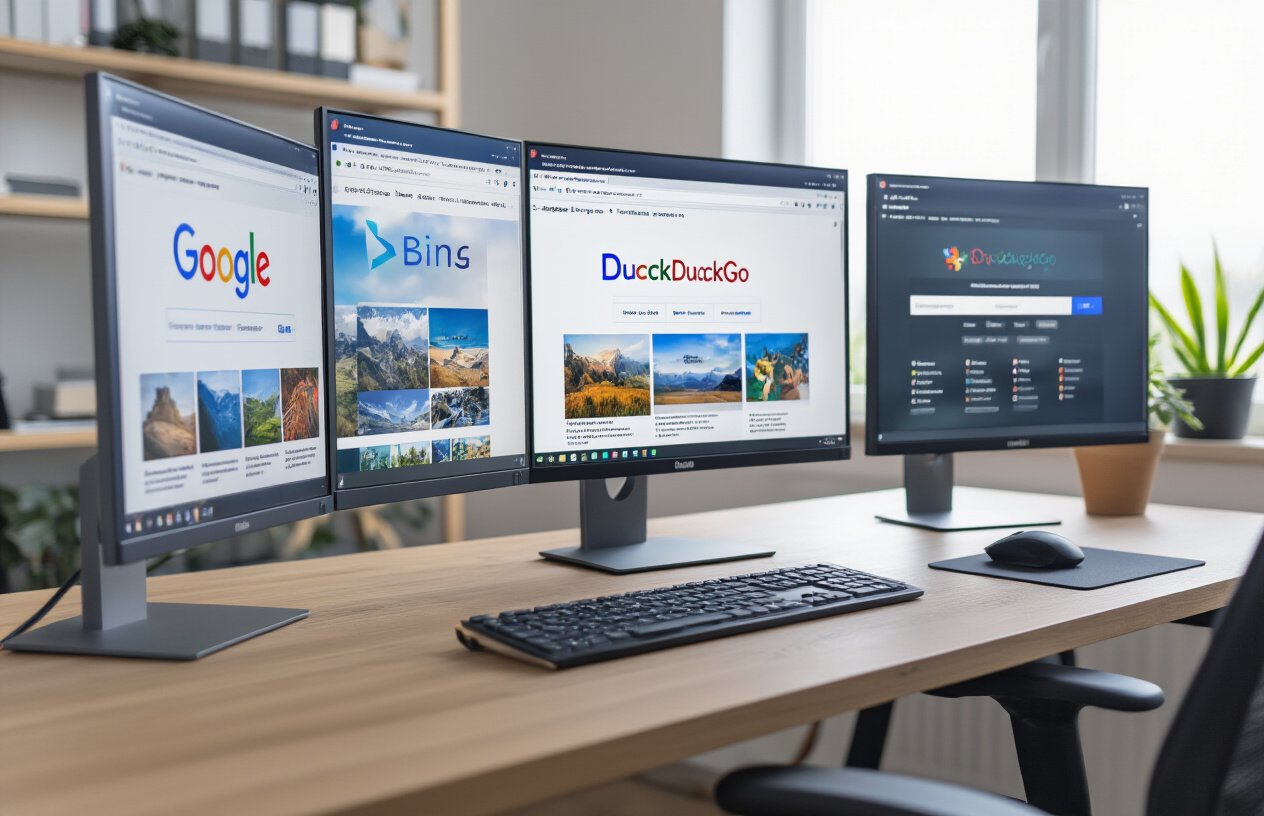
Compare results across Google, Bing, and Yandex
Different search engines use unique algorithms and databases, which means you’ll often get completely different results from each platform. Google excels at finding mainstream content and has the largest image database, but it’s not always the most comprehensive option. Bing tends to perform better for stock photography and commercial images, while Yandex absolutely dominates when searching for images from Eastern European sources or Cyrillic text.
Testing the same image across all three engines reveals fascinating differences. Google might identify a person in a photo, Bing could find similar product listings, and Yandex might uncover the original photographer’s social media post. This variation happens because each engine weights different factors – Google prioritizes relevance and authority, Bing focuses on commercial value, and Yandex excels at regional content recognition.
| Search Engine | Best For | Unique Strengths |
|---|---|---|
| General searches, popular content | Largest database, best AI recognition | |
| Bing | Commercial images, stock photos | Shopping integration, high-quality results |
| Yandex | Regional content, reverse searches | Superior facial recognition, Cyrillic text |
Access specialized databases for stock photos
Beyond general search engines, specialized stock photo databases offer targeted image search capabilities that regular search engines can’t match. Getty Images, Shutterstock, and Adobe Stock have their own reverse search tools that can identify professional photographs, artwork, and licensed content with remarkable precision.
These platforms maintain detailed metadata about their images, including photographer information, licensing details, and technical specifications. When you upload an image to these specialized searches, you’re tapping into professionally curated collections rather than the wild web that general search engines crawl.
TinEye deserves special mention as a dedicated reverse image search engine. It focuses purely on finding exact matches and variations of images across the web, without the commercial bias of other platforms. PicTriev specializes in facial recognition, while Prepostseo offers batch processing for multiple images simultaneously.
Explore niche search engines for specific content types
Different types of content require specialized search approaches. Academic researchers should check JSTOR’s image database for scholarly publications, while art enthusiasts can search museum collections through platforms like Google Arts & Culture or individual museum databases.
For memes and internet culture, Know Your Meme’s database tracks viral images and their origins. Pinterest’s visual search works exceptionally well for design inspiration, recipes, and lifestyle content. DeviantArt’s search engine excels at finding digital artwork and fan creations.
Reddit’s image search capabilities, while basic, can uncover community-specific content and discussions around particular images. Social media monitoring tools like Social Searcher can track image usage across multiple platforms simultaneously.
Cross-reference findings for accuracy verification
Never trust a single source when verifying image authenticity or origins. Cross-referencing results from multiple engines helps build a complete picture and catches inconsistencies that might indicate manipulation or misattribution.
Start by comparing timestamps across different platforms – if an image appears on multiple sites, the earliest publication date usually indicates the original source. Pay attention to image quality variations, as compressed or edited versions often appear later than originals.
Create a simple verification checklist: confirm the source website’s credibility, check for consistent metadata across platforms, look for watermarks or attribution information, and verify that the context matches across different search results. If results conflict significantly between engines, dig deeper before drawing conclusions.
Implement Metadata and EXIF Data Analysis

Extract location data from image properties
Every digital image carries invisible information that can reveal exactly where a photo was taken. GPS coordinates embedded in EXIF data act like digital fingerprints, showing the precise latitude and longitude of the camera’s location when the shutter clicked. Modern smartphones automatically record this data unless you’ve disabled location services.
Professional image search techniques tap into this goldmine of location information. When you upload an image to analysis tools like ExifPilot or Jeffrey’s Image Metadata Viewer, you can extract GPS coordinates and reverse-geocode them to actual addresses. This works particularly well for finding the original source of travel photos, real estate images, or social media posts.
Popular tools for location extraction:
- Photo Investigator – Web-based EXIF reader
- Pic2Map – Displays photo locations on interactive maps
- MetaPicz – Comprehensive metadata analysis
- Google Earth – Input coordinates for visual location verification
The accuracy depends on the device used and GPS signal strength. Indoor photos rarely contain location data, but outdoor shots from smartphones typically include coordinates accurate within 3-5 meters.
Identify camera settings and equipment used
Camera fingerprinting through EXIF analysis reveals the exact equipment and settings used to capture any image. This technical data includes camera make and model, lens specifications, ISO settings, aperture values, shutter speeds, and focal lengths. Professional photographers often leave distinctive digital signatures in their work.
EXIF data exposes whether an image came from a high-end DSLR, smartphone, or point-and-shoot camera. You can identify specific camera models like “Canon EOS R5” or “iPhone 14 Pro Max” along with lens information such as “24-70mm f/2.8L.” This information proves invaluable for copyright verification, authenticity checks, and reverse engineering photography techniques.
Key EXIF fields for equipment identification:
- Camera manufacturer and model
- Lens make, model, and focal length
- Shooting mode (manual, aperture priority, auto)
- Flash settings and exposure compensation
- Color space and image processing software
Many counterfeit or manipulated images lose original EXIF data during editing, making this technique excellent for spotting fake content. Professional stock photo sites often strip this metadata, but personal photos and social media uploads frequently retain complete technical details.
Discover creation dates and modification history
Digital timestamps embedded in image files create a chronological trail that reveals when photos were originally captured and subsequently modified. Original creation dates help verify the authenticity of images claiming to document specific events or time periods.
EXIF timestamps include multiple date fields: date taken, date modified, and date digitized. Discrepancies between these timestamps often indicate photo manipulation or editing. For instance, if an image claims to show a 2023 event but the creation date shows 2020, you’ve uncovered potential misinformation.
Critical timestamp fields:
- DateTimeOriginal – When the photo was actually taken
- DateTimeDigitized – When film was scanned or digital file created
- FileModifyDate – Last time the file was saved or edited
- Software – Programs used to edit the image
Advanced forensic tools can detect if timestamps have been artificially altered. Social media platforms sometimes strip or modify these dates, but original files often preserve authentic timing information. This technique proves especially valuable for journalists, legal professionals, and fact-checkers who need to verify the chronological accuracy of visual evidence.
Search by Color Palettes and Visual Similarities

Find images with matching color schemes
Color-based image searches have become incredibly powerful tools for designers, marketers, and creative professionals who need to maintain visual consistency across their projects. Modern search engines now offer sophisticated color analysis capabilities that can identify and match specific hues, saturation levels, and color combinations within images.
Google Images provides one of the most accessible color search features through its “Color” filter option. You can narrow your search results to specific color families like red, blue, green, or opt for more nuanced selections like transparent backgrounds or black and white images. This feature works by analyzing the dominant colors in uploaded images and matching them against similar palettes in the search database.
For more precise color matching, tools like TinEye and Adobe Stock offer advanced color wheel selectors where you can input exact hex codes or RGB values. These platforms can locate images that contain your specified colors as dominant, accent, or background elements. Pinterest’s visual search tool excels at finding images with similar color stories, making it perfect for mood board creation and brand consistency projects.
Professional design platforms like Shutterstock and Getty Images have implemented AI-driven color recognition that goes beyond basic hue matching. These systems can identify complementary color schemes, analogous palettes, and even emotional color associations, helping you find images that not only match your color requirements but also convey the right mood and atmosphere for your project.
Locate visually similar compositions and layouts
Visual composition search represents a significant leap forward in image recognition technology. These advanced algorithms analyze structural elements like rule of thirds placement, symmetry, leading lines, and spatial relationships between objects to find images with similar compositional qualities.
Google’s reverse image search has evolved to recognize compositional patterns beyond simple object identification. When you upload an image, the system examines the placement of elements, the balance between negative and positive space, and the overall visual flow. This allows you to find images that share the same compositional DNA, even when the actual subjects are completely different.
Specialized tools like Clarifai and Amazon Rekognition offer API-based solutions for businesses needing bulk compositional analysis. These platforms can identify images with similar framing techniques, depth of field characteristics, and perspective angles. For photographers and art directors, this means finding reference images that match specific shooting styles or layout requirements becomes much more efficient.
Pinterest’s Lens feature excels at compositional matching for lifestyle and product photography. The tool recognizes patterns in home decor arrangements, food plating styles, and fashion layouts, making it invaluable for finding inspiration that matches your compositional vision. The system learns from user interactions to improve its understanding of what constitutes visually similar arrangements.
Discover complementary design elements
Finding images with complementary design elements requires understanding how visual components work together to create cohesive designs. Modern image search techniques can identify typography styles, graphic elements, textures, and design motifs that complement your existing visual assets.
Behance and Dribbble have integrated smart search features that analyze design elements like icon styles, illustration techniques, and layout grids. These platforms can suggest images that share similar design languages, helping creative professionals maintain consistency across brand touchpoints. The searches consider factors like line weight, corner radius, shadow styles, and overall design aesthetics.
Adobe Sensei powers several creative cloud applications with AI-driven similarity detection that goes beyond surface-level matching. The system can identify subtle design relationships like complementary typeface pairings, matching illustration styles, and cohesive color temperature treatments. This technology helps designers discover assets that naturally work together without extensive manual curation.
For e-commerce and marketing applications, tools like Canva and Figma offer community-driven search features where design elements are tagged and categorized by style, mood, and intended use. These platforms excel at finding complementary graphics, patterns, and decorative elements that enhance existing designs without competing for attention.
The key to successful complementary element searching lies in understanding design principles and using multiple search approaches. Combining color palette searches with compositional analysis and element-specific queries yields the most comprehensive results for complex design projects.
Master Screenshot and Screen Capture Searches

Search for specific software interfaces and applications
Screenshots of software interfaces have become incredibly valuable for finding exact applications and tools. When you capture an interface element, dialog box, or unique design pattern, reverse image searches can pinpoint the specific software you’re looking at. This technique works especially well with distinctive UI elements like ribbon interfaces, toolbars, or custom dialog boxes that are unique to particular applications.
Upload your interface screenshot to Google Images, TinEye, or Bing Visual Search to identify unknown software. These Image Search Techniques excel at matching visual patterns from software documentation, user manuals, and community forums where people share screenshots of the same interfaces. You’ll often discover not just the software name, but also version numbers and specific feature sets.
Identify error messages and troubleshooting guides
Error message screenshots are goldmines for finding solutions. Technical support forums, Stack Overflow, and documentation sites are indexed by image search engines, making it possible to find exact error matches and their corresponding solutions. When you encounter an unfamiliar error dialog, screenshot it and search immediately.
The visual nature of error messages – with their specific formatting, icons, and text layouts – makes them highly searchable. You’ll discover troubleshooting threads where other users encountered identical errors, complete with step-by-step solutions and workarounds that might not appear in traditional text searches.
Find tutorials based on visual elements
Visual elements from tutorials – like specific button locations, menu structures, or interface layouts – can help you locate comprehensive learning resources. When you see an interesting technique demonstrated in a partial screenshot or social media post, reverse image searching often leads you back to the complete tutorial or course.
This approach is particularly powerful for design software tutorials, where specific tool palettes, layer structures, or effect previews can guide you to detailed instructions. Many tutorial creators use consistent visual elements across their content, so finding one screenshot often reveals their entire educational library.
Locate product information from partial screenshots
Partial product screenshots from reviews, unboxing videos, or social media posts can reveal complete product specifications and purchasing information. Whether it’s a glimpse of a software dashboard, hardware interface, or packaging design, these fragments often contain enough visual information to identify the full product.
E-commerce sites, review platforms, and manufacturer websites all use product screenshots that can be matched against your partial image. This technique proves invaluable when you spot interesting products in videos, social media posts, or presentations but lack complete product names or model numbers.
Explore Brand and Logo Recognition Techniques

Identify companies and products from partial logos
Brand recognition has become incredibly powerful thanks to advanced image search algorithms. When you spot a partial logo on clothing, products, or advertisements, you can easily identify the company behind it using specialized search techniques.
Google Lens leads the pack for partial logo identification. Simply point your camera at any logo fragment, and the AI instantly matches it against millions of brand databases. The technology works remarkably well even with severely cropped or distorted logos. TinEye’s reverse image search excels at finding exact logo matches across the web, while Bing Visual Search provides excellent results for consumer products and retail brands.
For the most comprehensive results, try cropping your image to focus solely on the logo portion. This eliminates background noise and helps algorithms concentrate on the brand elements. Professional marketers often use specialized tools like LogoGrab or Brandwatch for more detailed brand monitoring across social platforms.
Find trademark information and brand guidelines
Discovering official trademark details and brand guidelines becomes straightforward once you identify a logo. The USPTO database provides comprehensive trademark information for US-registered brands, while WIPO Global Brand Database covers international trademarks.
Start your search by uploading the logo to Google Images, then navigate to the official company website from the results. Most established brands maintain detailed brand guideline sections with downloadable logo files, color specifications, and usage rules. These resources typically live in “Press,” “Media Kit,” or “Brand Assets” sections of corporate websites.
For deeper trademark research, combine your image search results with these valuable resources:
- Justia Trademarks: Free access to trademark applications and registrations
- TrademarkNow: Professional trademark monitoring and analytics
- TMview: European Union trademark database with visual search capabilities
- Brand Thunder: Comprehensive brand protection and monitoring platform
Discover counterfeit products and brand violations
Brand protection has never been more critical in our digital marketplace. Image search techniques help brands and consumers identify counterfeit products, unauthorized logo usage, and trademark violations across multiple platforms.
Reverse image searching works exceptionally well for spotting fake products. Upload suspicious product photos to multiple search engines and compare results. Authentic products typically appear on official retailer websites, while counterfeits often show up on questionable marketplaces or social media accounts with limited seller information.
Professional brand protection services like Red Points and MarkMonitor use sophisticated image recognition to monitor thousands of websites daily. These platforms automatically detect unauthorized logo usage, fake product listings, and brand impersonation attempts across e-commerce sites, social media, and mobile apps.
Smart shopping techniques include checking product photos against official brand imagery, verifying seller credentials, and looking for telltale signs like price discrepancies or poor image quality. Many brands now include authentication features or QR codes that link directly to verification databases.
Consumer protection apps like Entrupy use advanced image analysis to authenticate luxury goods in real-time, while browser extensions like FakeSpot analyze product photos and seller patterns to identify potential counterfeits before you buy.
Utilize Social Media and Platform-Specific Searches

Search within Instagram, Pinterest, and Facebook databases
Instagram’s visual search capabilities go far beyond basic hashtag searches. The platform’s advanced image recognition technology allows you to tap on any object within a photo to discover similar items or related content. Simply open any post and look for the small shopping bag icon or tap directly on products to access Instagram’s built-in visual search. This feature connects to a vast database of tagged products and similar visual content.
Pinterest operates as a visual discovery engine, making it perfect for image-based searches. Upload any image to Pinterest’s camera search feature, and the platform will scan its billions of pins to find visually similar content. The “Try it” feature on product pins lets you discover items that look alike across different brands and price points. Pinterest’s Lens technology can identify everything from home decor to fashion items with remarkable accuracy.
Facebook’s image search works differently but remains powerful for finding specific content. Use Facebook’s search bar with descriptive terms, then filter results by photos. The platform’s facial recognition technology (where enabled) can help locate tagged photos of specific people. Facebook’s reverse image search through browser extensions also works well for finding where images have been shared across the platform.
Find trending visual content across platforms
Cross-platform trending analysis reveals patterns in viral visual content before they peak. Instagram’s Explore page algorithm identifies rising visual trends based on engagement velocity and user interaction patterns. Monitor hashtags like #trending, #viral, and niche-specific tags to spot emerging visual themes early.
TikTok’s “For You” page serves as a visual trend predictor, especially for younger demographics. Pay attention to recurring visual elements, color schemes, and aesthetic choices in trending videos. These often migrate to other platforms within days or weeks.
Twitter’s trending topics frequently include visual components. Search trending hashtags and switch to the “Photos” tab to see the visual narrative surrounding current events or viral moments. This method helps identify breaking visual content as it develops.
Platform-specific trending tools make this process more systematic:
- Instagram Insights: Track hashtag performance and reach
- Pinterest Trends: Access seasonal and trending search data
- Facebook Creator Studio: Monitor content performance metrics
- Google Trends: Compare visual search terms across platforms
Locate user-generated content and viral images
User-generated content (UGC) represents authentic visual storytelling that brands and researchers actively seek. Instagram’s brand hashtags and location tags create searchable databases of customer-created content. Search for brand names combined with terms like “unboxing,” “review,” or “experience” to find genuine user photos.
Reddit’s image-heavy subreddits function as UGC goldmines. Communities like r/pics, r/mildlyinteresting, and niche hobby subreddits generate thousands of original images daily. Use Reddit’s search function with specific visual descriptors to find unique content before it spreads to other platforms.
YouTube thumbnails and community posts offer another UGC avenue. Search for product names, locations, or events, then examine video thumbnails for user-created visual content. Many creators use original photography in their thumbnails, providing authentic visual perspectives.
Finding viral images requires timing and the right search approach:
- Search by date ranges during trending events
- Monitor meme subreddits like r/dankmemes and r/memeeconomy
- Check image-first platforms like 9GAG and Imgur
- Use reverse image search to track viral image origins
Access platform-exclusive visual search features
Each major platform offers unique visual search capabilities that aren’t available elsewhere. Instagram’s shopping tags create a searchable product database where you can find items by visual similarity rather than text descriptions. The “Shop” tab uses machine learning to suggest visually similar products across different brands and retailers.
Pinterest Lens stands out as the most advanced consumer visual search tool. Point your camera at any object, and Pinterest identifies it while suggesting related pins, DIY projects, and shopping options. The technology recognizes everything from furniture and clothing to plants and food dishes. Pinterest also offers “Shop the Look” features that identify multiple items within a single image.
LinkedIn’s image search
Snapchat’s visual search integration with Amazon allows users to point their camera at products for instant shopping results. This feature works particularly well with books, DVDs, and packaged goods. Snapchat’s camera also includes plant and dog breed identification features.
LinkedIn’s image search focuses on professional content. Upload business-related images to find similar professional photos, company logos, or industry-specific visual content. This proves valuable for competitive research and professional branding efforts.
Platform-exclusive features worth exploring:
- Twitter’s advanced image search operators
- Facebook’s event photo collections
- Instagram’s AR filter library
- TikTok’s effect-based searches
- YouTube’s thumbnail similarity search
These platform-specific tools often provide more accurate results than general search engines because they’re optimized for each platform’s unique content and user behavior patterns.

Finding images online doesn’t have to be a frustrating guessing game anymore. These ten techniques give you the power to track down any visual content, whether you need to verify a photo’s source, find higher quality versions, or discover similar images. From reverse searches that work like magic to AI tools that understand what you’re actually looking for, you now have a complete toolkit for visual discovery.
The best part? You don’t need to be tech-savvy to use these methods. Start with reverse image searches and mobile tools since they’re the easiest to master, then gradually explore the more advanced options like metadata analysis and color-based searches. Mix and match different techniques for the best results, and remember that sometimes the answer you’re looking for is just one search engine away from the one you tried first.